
how to make a loan payment from an external account
Set-Up Loan Payments from an External Account – Free
One way you can take care of your loan payments without needing to visit a branch is by paying from an external account. You must be enrolled in online banking to use this feature. If you haven’t set-up online banking, enroll in online banking, and then return here to create a connection to your external account
External Transfer Instructions
1. Access the Loan
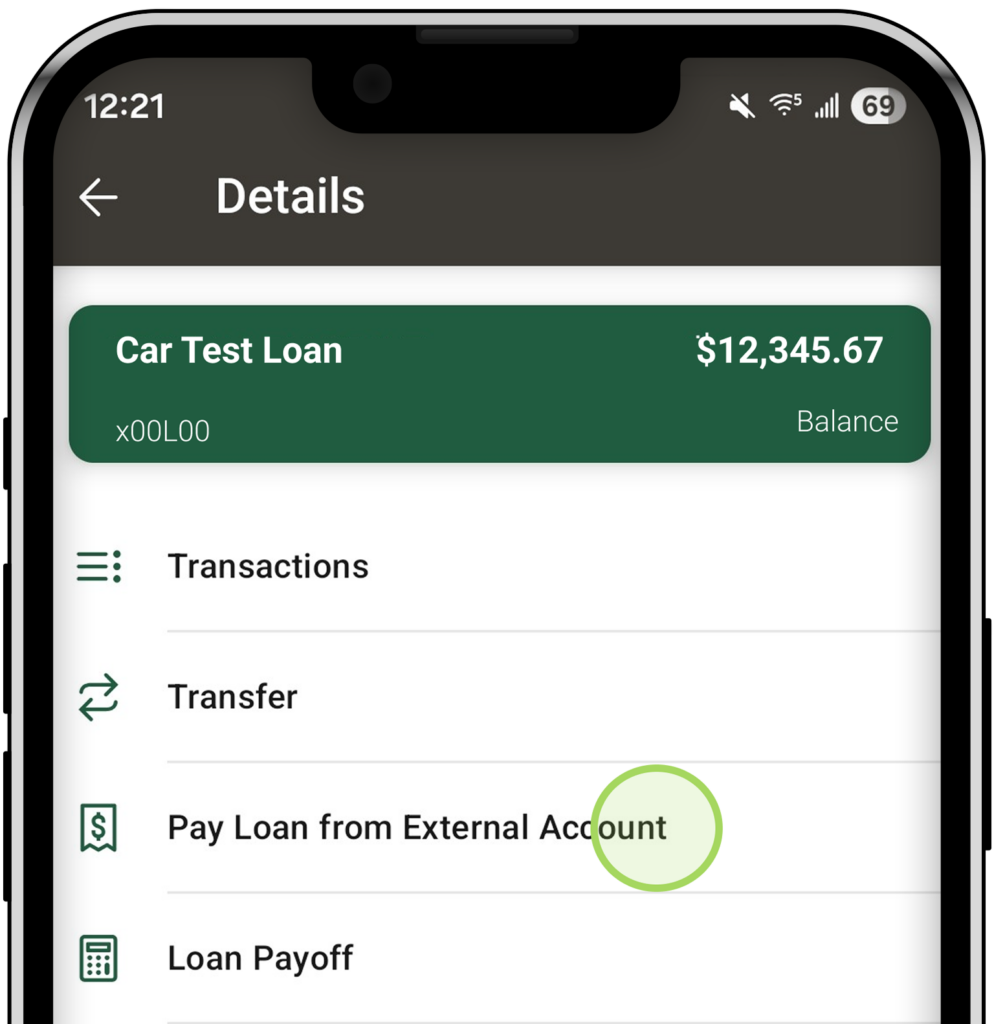
Open the Multipli Credit Union app or login to online banking. Select the loan from the accounts menu, then select Pay Loan from External Account.
2. Enter Payment Details
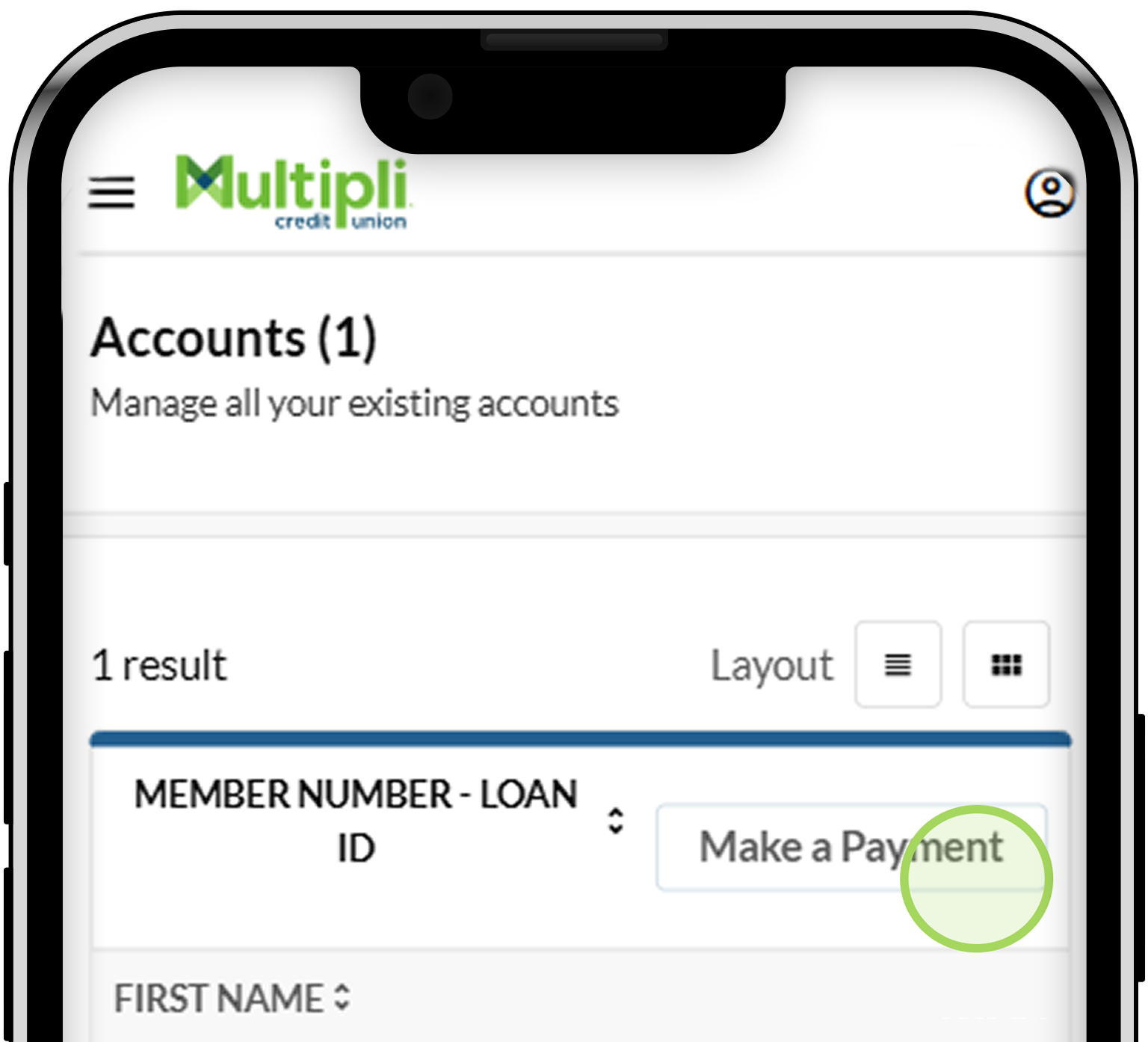
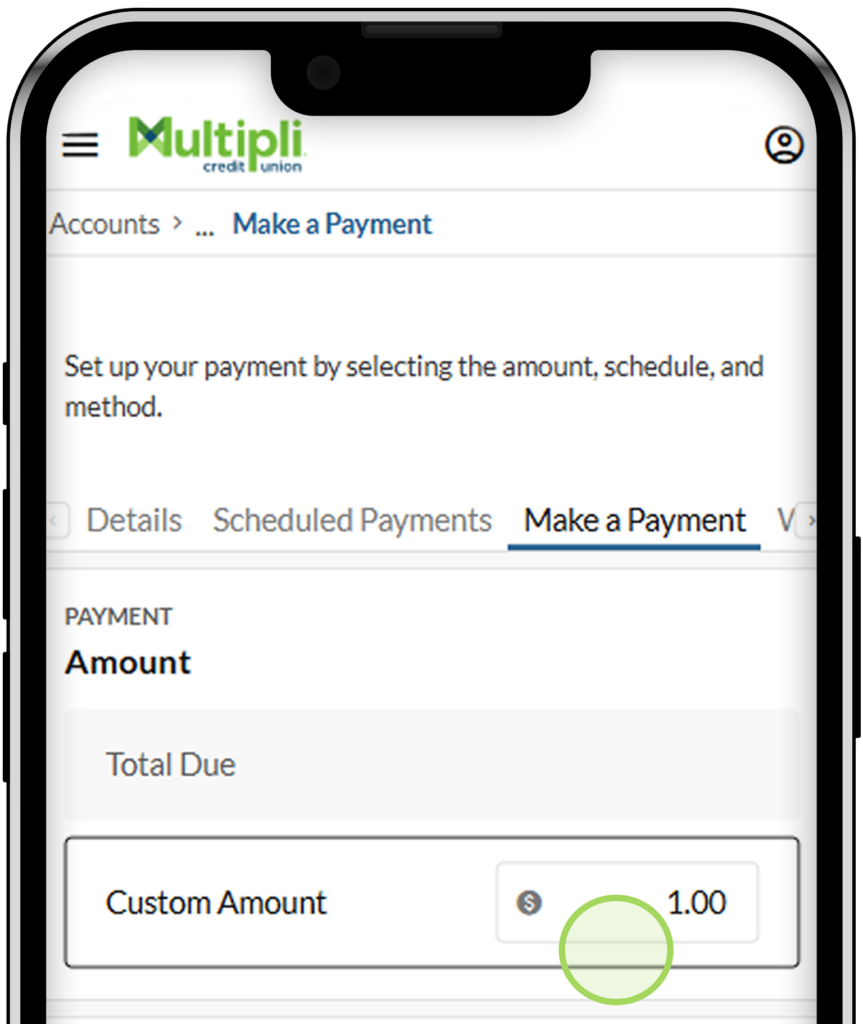
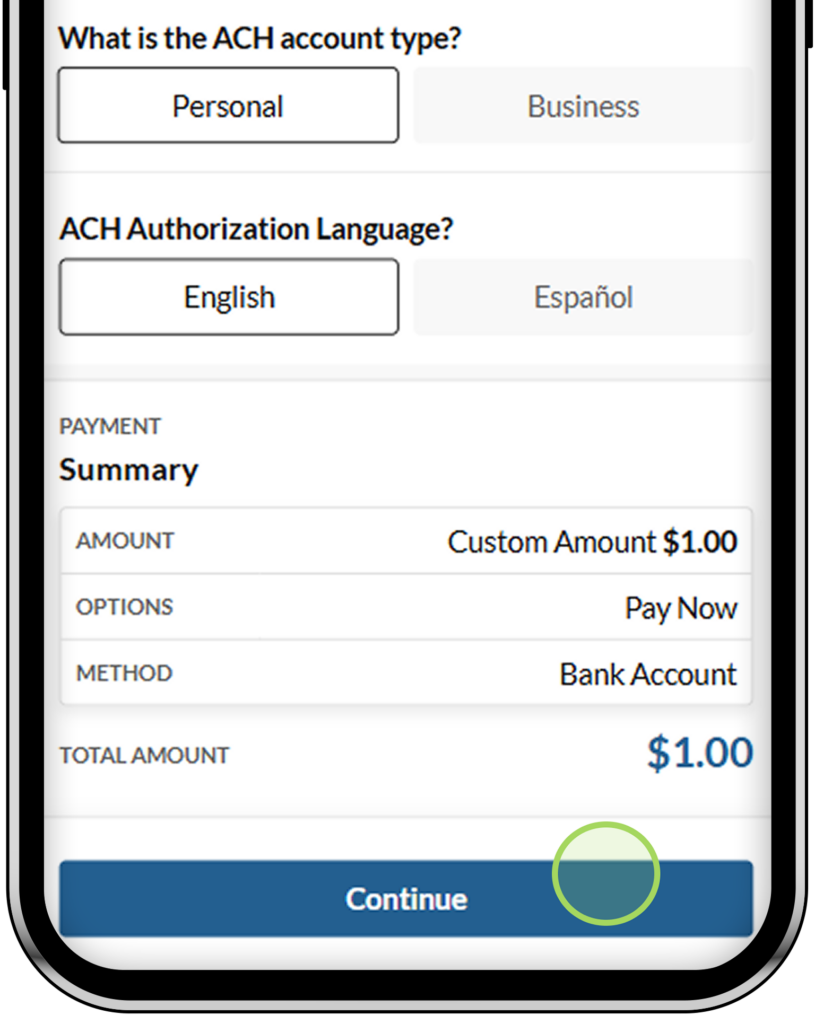
Select Make a Payment. Enter payment amount, choose to either Pay Now or Schedule a Payment, select ACH account type, and choose ACH language. Click Continue.
3. Enter Bank Account Information
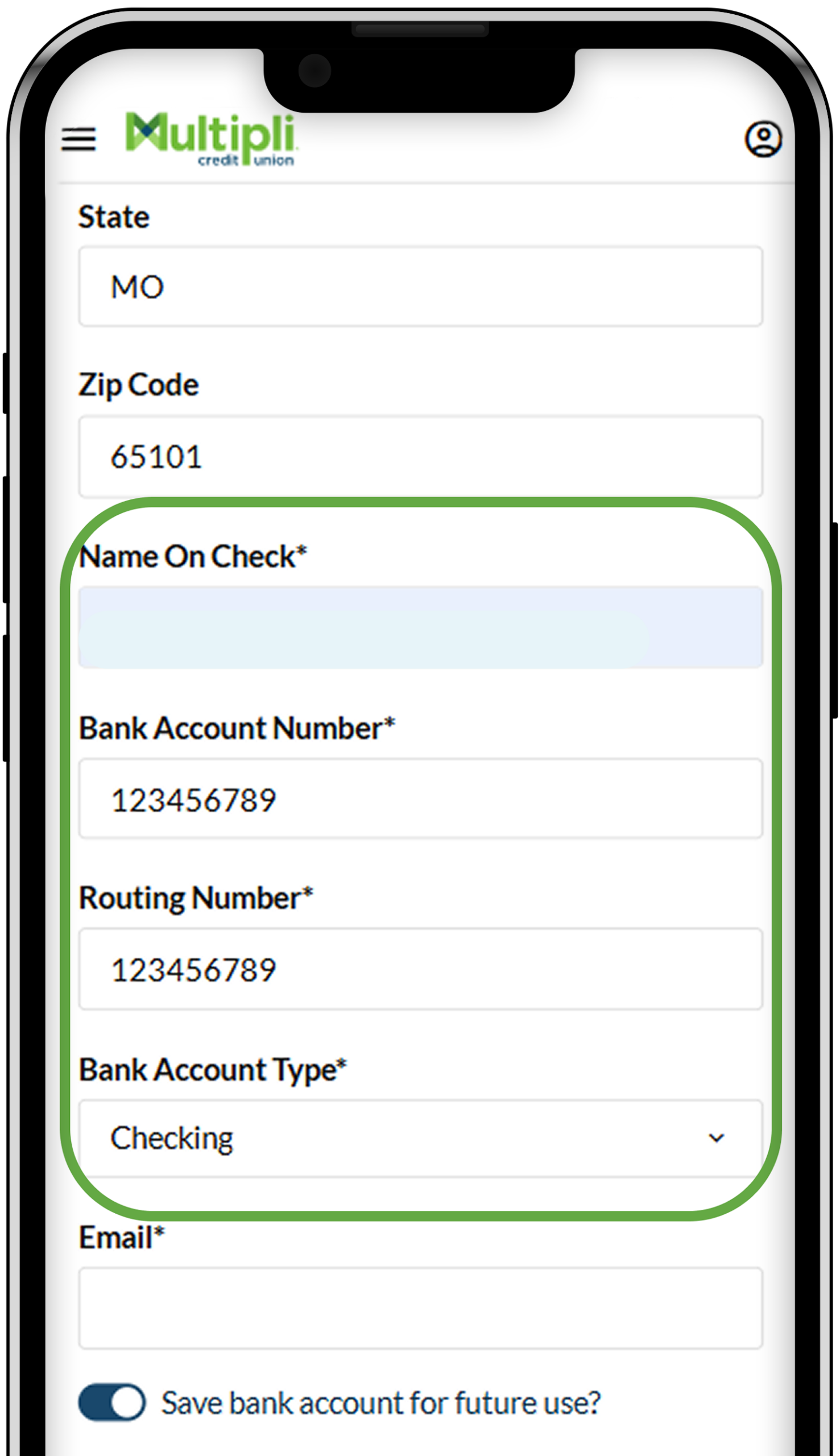
Enter details for Name on check, your external account number, routing number, and account type.
4. Digitally Sign & Complete Payment
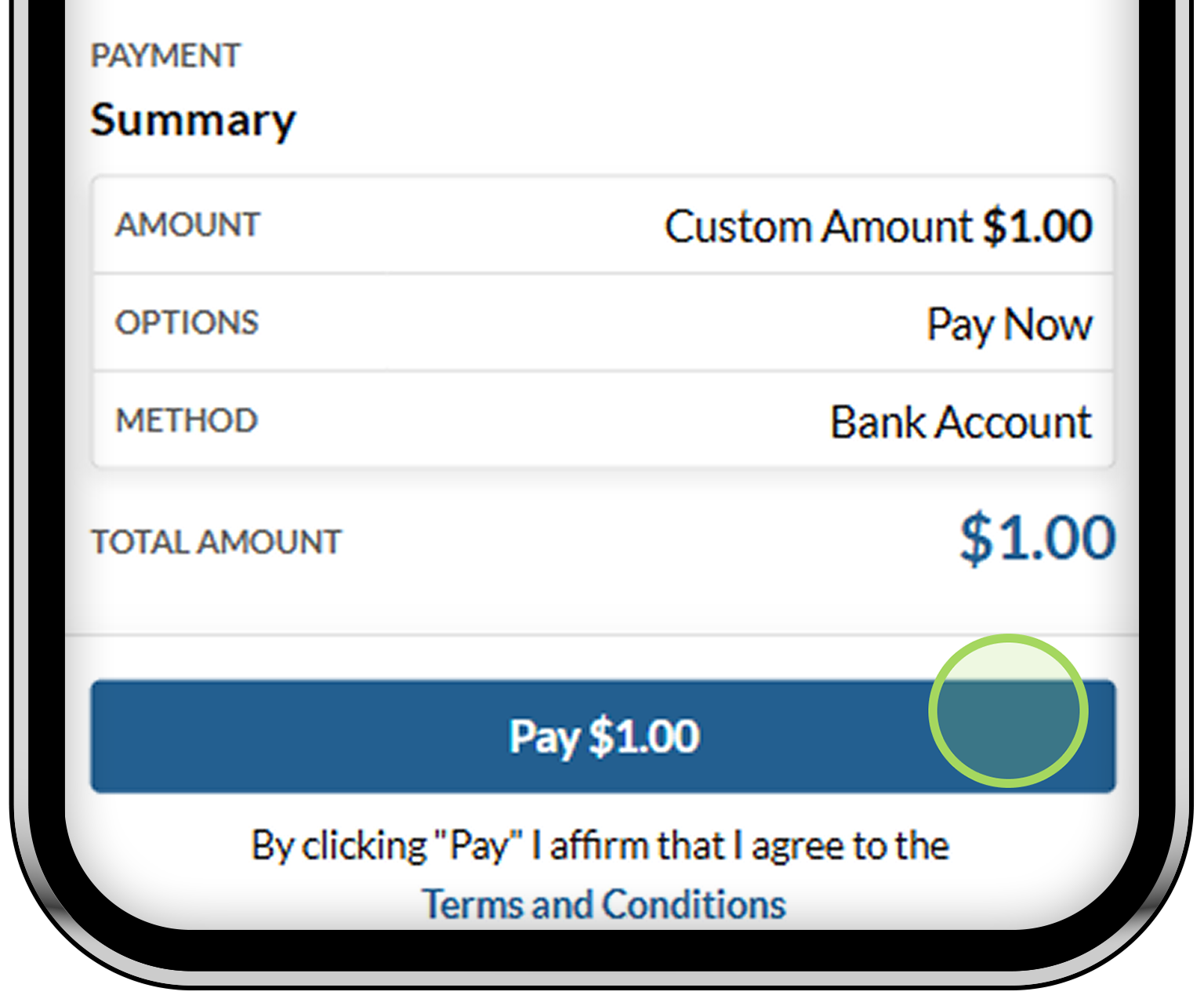
Digitally sign, confirm payment details, and click Pay to complete payment.
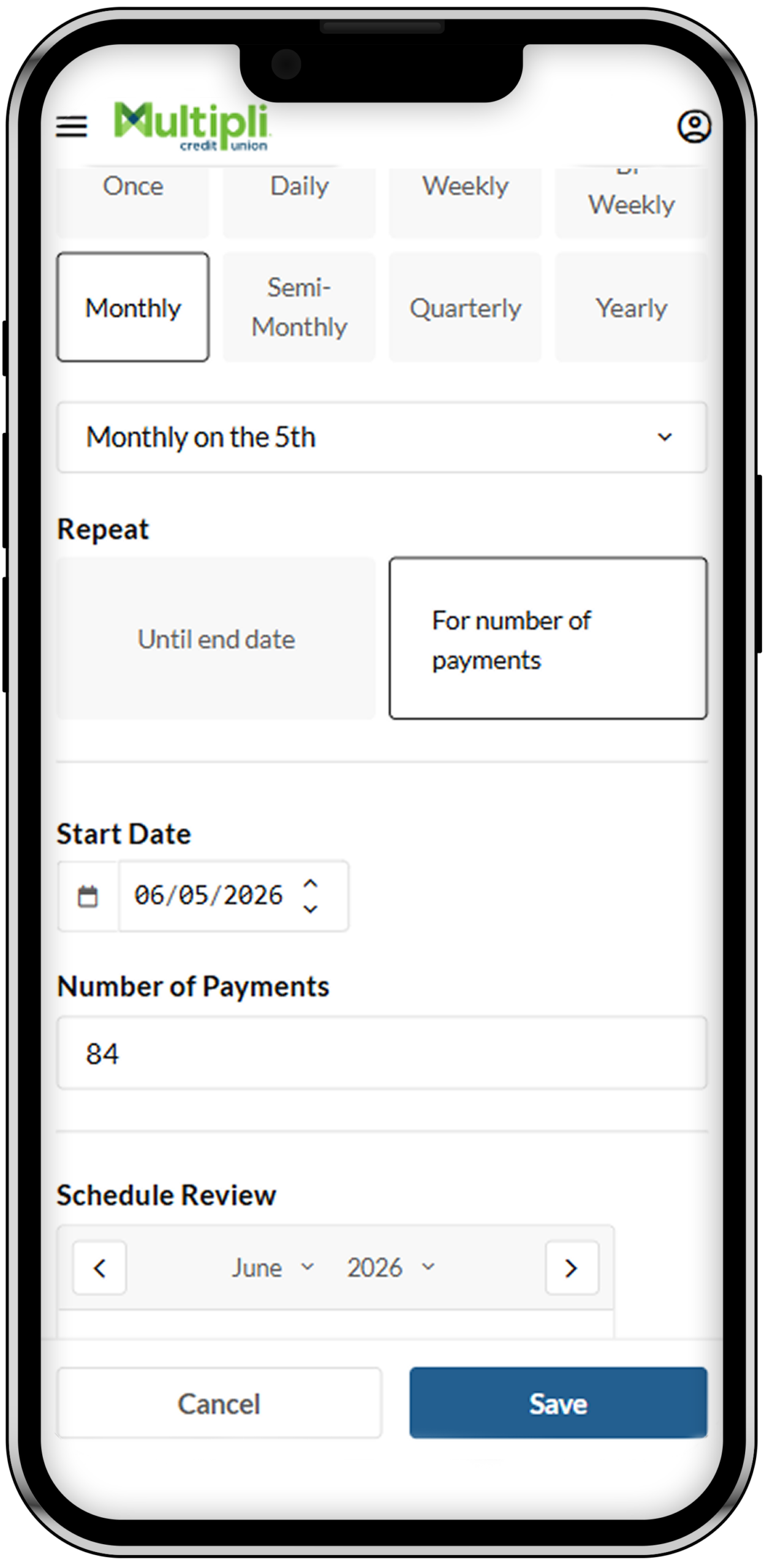
5. Optional: Create Payment Schedule
Set up recurring payments so you don’t have to make each monthly payment yourself. Choose how often you want to pay, enter the payment details, review your schedule, and select Save.